Author: admin

  • Compressed Air Duster 170,000 RPM Handheld Electric Air Duster: A Practical Guide for Cleaning Electronics, Cars, and Everyday Spaces

    Compressed Air Duster 170,000 RPM Handheld Electric Air Duster: A Practical Guide for Cleaning Electronics, Cars, and Everyday Spaces

    Dust is one of those everyday problems that can be easy to overlook until it starts collecting in places that are difficult to reach. Keyboards develop crumbs and fine particles between the keys, computer cases accumulate dust around vents, car interiors collect debris in narrow gaps, and small electronic devices can become difficult to clean with an ordinary cloth.

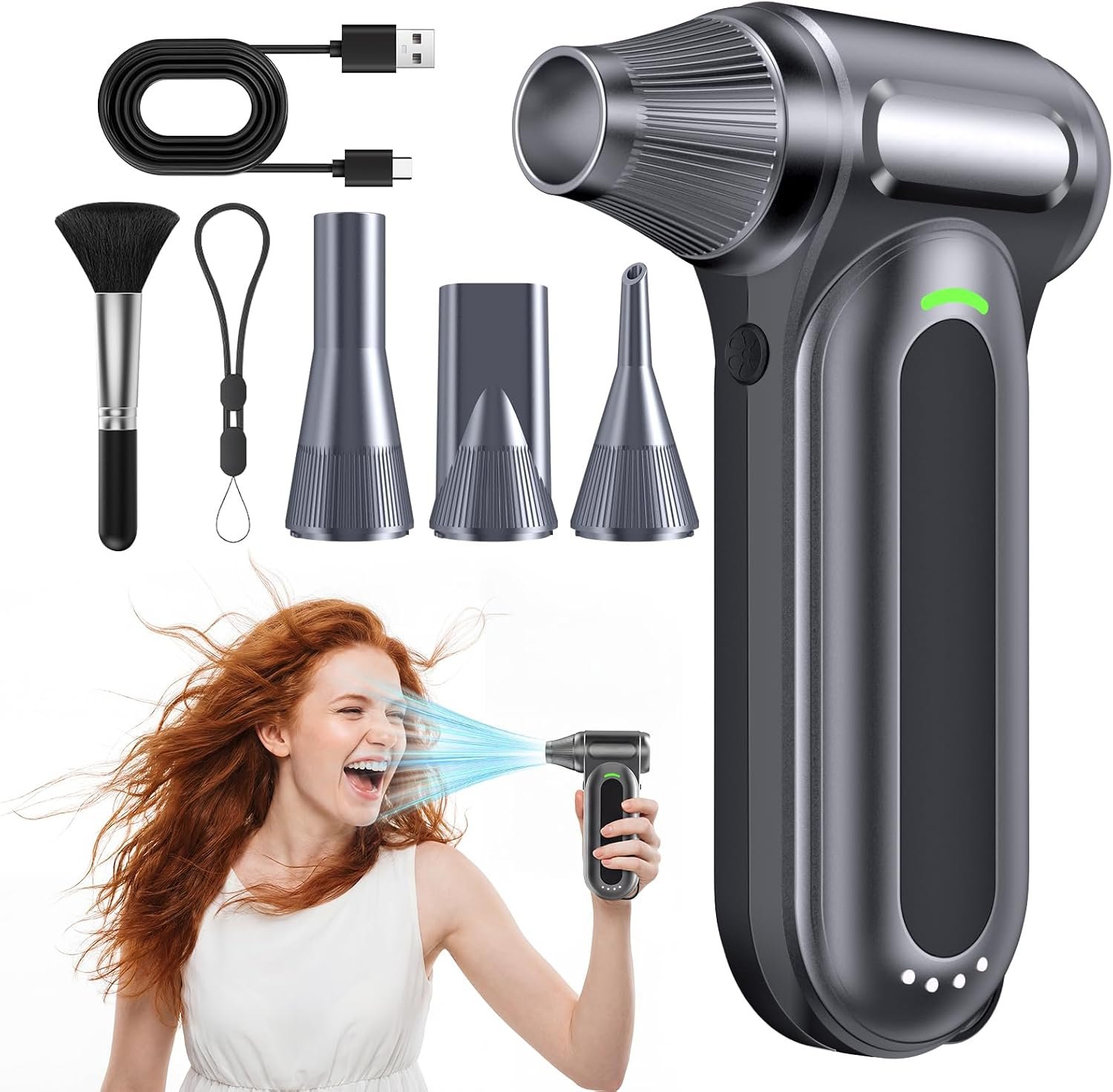
    A handheld electric air duster offers another approach. Instead of relying on disposable compressed-air cans, an electric blower uses a motor to produce a stream of air that can be directed toward dusty surfaces and hard-to-reach areas. The product discussed in this guide is a Compressed Air Duster with a 170,000 RPM brushless motor, four-speed operation, and a rechargeable cordless design, intended for applications such as keyboards, PCs, cars, electronics, and general cleaning.

    The important thing to understand is that the number 170,000 RPM describes the rotational speed of the motor or fan system. It should not automatically be interpreted as a measurement of airflow volume, cleaning performance, or air pressure. In practical use, factors such as the nozzle design, airflow path, speed setting, distance from the surface, and type of debris can all affect the result.

    This guide explains how this type of electric air duster works, where it can be useful, what its limitations are, and what to consider before incorporating one into a cleaning routine.

    What Is a Handheld Electric Air Duster?

    A handheld electric air duster is a compact powered blower designed to direct air toward dust, crumbs, lint, and other loose particles.

    Traditional canned air products use a pressurized propellant stored inside a disposable container. An electric air duster takes a different approach: its rechargeable battery powers a motor, which drives a fan or turbine system and produces moving air.

    The cordless design can make the tool convenient for situations where an electrical outlet is not nearby. Depending on the model and operating conditions, the battery can be recharged between uses rather than replacing an entire can after the contents are depleted.

    This particular product is described as having a 170,000 RPM brushless motor, four speed settings, and a rechargeable cordless configuration. Those characteristics make the device relevant to several types of cleaning tasks, particularly where controlled airflow and portability are useful.

    However, an electric air duster is not a universal replacement for every cleaning method. A blower moves loose particles; it does not necessarily collect them. In some situations, vacuuming, wiping, brushing, or a combination of methods may be more appropriate.

    Key Features

    170,000 RPM Brushless Motor

    The product is identified with a 170,000 RPM brushless motor. RPM means revolutions per minute and describes how quickly a rotating component operates.

    A high RPM specification can be useful when discussing the design of a compact electric blower, but it is important not to treat RPM as a direct measurement of cleaning power.

    Airflow depends on more than rotational speed. The design of the fan or turbine, air intake, nozzle, motor efficiency, and overall airflow system all contribute to how air reaches the target.

    For this reason, the most useful way to think about the 170,000 RPM specification is as a motor-performance characteristic rather than a guarantee of a particular cleaning result.

    The brushless motor design is also relevant. Brushless motors eliminate the traditional mechanical brushes used in brushed motors and are commonly used in compact electronic devices and power tools. Their design can support efficient operation, although actual performance and operating time depend on the entire device rather than the motor specification alone.

    Four-Speed Operation

    The inclusion of four speed levels provides more control than a single-speed blower.

    Different cleaning situations can call for different airflow levels. A lower setting may be more appropriate when working around delicate or lightweight objects, while a higher setting can be useful for moving more stubborn loose debris.

    Having several settings also makes it easier to adapt the tool to different environments.

    For example, cleaning a keyboard may require a different approach from clearing leaves or debris from a vehicle’s floor mat. Being able to adjust the airflow can help reduce unnecessary force and make the tool more versatile.

    The practical value of multiple speed settings depends on how easily they can be selected and how distinct the settings feel during use.

    Cordless Rechargeable Design

    A rechargeable battery removes the need for a permanent power cable during cleaning.

    This can be especially useful when moving between rooms, working inside a vehicle, cleaning a workshop, or handling equipment away from a desk.

    A cordless air duster can also be stored with other cleaning equipment and used when needed without connecting it to an outlet.

    Battery-powered operation does introduce another consideration: runtime. The amount of time the device can operate depends on the battery capacity, speed setting, operating conditions, and battery condition.

    Higher airflow settings generally require more energy, so users who regularly perform extended cleaning sessions should pay attention to charging requirements and expected operating time.

    Compact Handheld Format

    The handheld form factor is designed around portability.

    Instead of using a large blower or shop vacuum, users can hold the device directly and aim the airflow at a specific area.

    This can be helpful when cleaning small spaces such as:

    • Keyboard gaps
    • Computer ventilation openings
    • Desk equipment
    • Car air vents
    • Camera equipment exteriors
    • Gaming accessories
    • Shelving corners
    • Workshop tools
    • Small household devices

    A compact tool is also easier to keep in a drawer, cabinet, garage, or equipment bag than a larger cleaning appliance.

    Designed as a Canned-Air Alternative

    One of the main reasons people consider electric air dusters is to reduce reliance on disposable compressed-air cans.

    An electric device does not use a new can for every cleaning session. Instead, it relies on electricity stored in its rechargeable battery.

    That can make it a practical option for people who clean frequently.

    The two approaches are not identical, however. Canned air and electric blowers differ in airflow characteristics, pressure behavior, handling, maintenance, and operating time. The appropriate choice depends on the task and the user’s cleaning habits.

    How It Can Be Used

    Cleaning Computer Keyboards

    Keyboards are one of the most obvious applications for a handheld air duster.

    Dust, hair, crumbs, and other small particles can settle underneath and between keys. A stream of air can help move loose debris out of these spaces.

    For routine cleaning, the keyboard should be disconnected or powered down when appropriate. The device can then be positioned so that debris is blown away from the keyboard rather than deeper into another opening.

    A moderate airflow setting can be a sensible starting point. Users can increase the airflow if necessary while maintaining an appropriate distance.

    Air alone may not remove sticky residue or oily deposits. Those generally require a suitable cleaning method rather than stronger airflow.

    Cleaning Desktop Computers

    Desktop computer cases often have ventilation openings designed to allow air to move through the system.

    Over time, dust can accumulate around these openings, fans, filters, heatsinks, and other accessible areas.

    An electric air duster can help dislodge loose dust from the exterior and accessible components.

    Before cleaning inside a computer, it is important to shut down the system and disconnect power. Users should also avoid allowing a high-speed airflow stream to spin internal fans excessively if the cleaning method could cause them to rotate rapidly.

    The goal is to remove dust rather than mechanically stress components.

    A vacuum can then be useful for collecting dust that has settled around the surrounding workspace, while the blower is used to move particles from hard-to-reach areas.

    Cleaning Laptop Vents

    Laptop ventilation openings can collect dust and lint over time.

    A handheld air duster can be used around accessible exterior vents to move loose debris away from the openings.

    Because laptops contain compact components and delicate internal structures, users should avoid treating the air duster like a high-pressure industrial tool. Gentle, controlled airflow is generally more appropriate than holding the nozzle extremely close and using maximum power continuously.

    The manufacturer’s cleaning guidance for the particular laptop should also take priority.

    Cleaning Gaming Equipment

    Gaming setups can contain several dust-collecting surfaces, including keyboards, controllers, desktop PCs, monitor stands, consoles, and accessory docks.

    A portable air duster can be incorporated into a periodic cleaning routine.

    For example, users might first remove loose dust from keyboards and controller surfaces, then clean the surrounding desk area separately.

    Airflow can help reach narrow gaps that are difficult to clean with a microfiber cloth.

    Cleaning Car Interiors

    Vehicle interiors contain many narrow spaces where dust and debris accumulate.

    A handheld blower may be useful around:

    • Dashboard gaps
    • Air vents
    • Seat rails
    • Center-console openings
    • Door pockets
    • Cup holders
    • Buttons and controls
    • Trunk edges
    • Floor mat surfaces

    The advantage is portability. The device can be used without connecting to a wall outlet.

    For larger amounts of dirt, however, an automotive vacuum remains useful because it collects the debris instead of simply moving it around.

    One practical approach is to use airflow to loosen debris from difficult areas and then use a vacuum to collect the displaced material.

    Cleaning Camera Exteriors and Accessories

    Photography equipment can benefit from careful dust management.

    An air duster may be useful for cleaning loose particles from the exterior of camera bodies, lens barrels, bags, tripods, and other accessories.

    However, camera sensors and optical surfaces require special care. A powerful electric blower should not automatically be treated as appropriate for every camera-cleaning application.

    Users should follow the camera or lens manufacturer’s recommended procedure for sensitive optical components.

    Cleaning Workshop Tools

    Workshops often contain sawdust, metal filings, dirt, and other particles.

    An air duster can help clear loose debris from hand tools, work surfaces, equipment exteriors, and other areas.

    Extra caution is required when dealing with potentially hazardous particles. Blowing dust into the air can make it easier to inhale or spread contaminants throughout a workspace.

    When dealing with fine dust, chemical residues, or potentially harmful materials, appropriate protective equipment and containment methods are more important than simply producing stronger airflow.

    Cleaning Small Household Areas

    The device can also be useful for ordinary household maintenance.

    Examples include:

    • Dusting behind appliances
    • Cleaning narrow shelves
    • Clearing debris from window tracks
    • Removing crumbs from drawers
    • Cleaning around decorative objects
    • Clearing dust from vents
    • Cleaning small tools
    • Removing loose particles from furniture gaps

    The main advantage is the ability to direct airflow into spaces where a cloth cannot easily reach.

    Who It May Be Suitable For

    Computer Users

    People who regularly maintain desktop computers, keyboards, gaming PCs, and accessories may find a rechargeable air duster useful as part of a regular cleaning routine.

    It can provide a portable source of airflow without requiring disposable cans.

    Gamers

    Gaming setups often contain multiple electronic devices and accessories in one area.

    A compact blower can be used for routine removal of loose dust from keyboards, controllers, PC exteriors, and desk equipment.

    Car Owners

    A cordless design can be practical for cleaning inside a vehicle, particularly around vents, controls, storage compartments, and narrow gaps.

    It does not replace an automotive vacuum, but it can complement one.

    DIY and Workshop Users

    People who frequently work with tools may appreciate having a small blower available for removing loose particles from equipment and workspaces.

    The suitability depends on the type of material being cleaned and whether blowing dust into the surrounding environment is safe.

    Home Office Users

    Home offices often contain keyboards, computers, printers, monitors, cables, and other equipment.

    A handheld air duster can provide an easy way to incorporate airflow into a periodic cleaning routine.

    People Who Clean Frequently

    An electric air duster can make more sense for someone who frequently cleans electronics or narrow spaces than for someone who only needs occasional dust removal.

    The rechargeable design is particularly relevant when the device will be used repeatedly.

    Important Things to Consider

    RPM Does Not Equal Airflow

    One of the most important technical points is understanding the difference between RPM and airflow.

    A motor spinning at 170,000 RPM does not mean the device produces 170,000 units of air movement or that it automatically performs better than every lower-RPM blower.

    RPM describes rotational speed.

    Airflow is influenced by the complete air-moving system.

    When comparing electric air dusters, specifications such as airflow, nozzle design, battery capacity, operating modes, and physical design may provide more useful information about practical operation than RPM alone.

    Four Speeds Require Appropriate Adjustment

    More airflow is not always better.

    A high setting can move lightweight objects, scatter dust across a room, or potentially disturb delicate components.

    Starting with a lower setting gives users more opportunity to observe how the material responds.

    The appropriate distance also matters. Holding the nozzle extremely close to a surface can create a more concentrated stream than holding it farther away.

    Air Dusting Moves Debris

    An air duster is fundamentally a particle-moving tool.

    It can loosen and relocate dust, but it does not collect the material.

    This distinction is important.

    If dust is blown from a keyboard onto a desk, the keyboard is cleaner, but the dust still exists.

    A useful cleaning process can therefore involve two stages: use controlled airflow to dislodge debris from difficult areas, then use a cloth or vacuum to collect the material from the surrounding surface.

    Protect Your Eyes

    Airborne dust and small particles can become airborne quickly.

    Protective eyewear can be appropriate when using an air duster, especially in workshops, garages, or dusty environments.

    Users should also avoid directing airflow toward their face or other people.

    Be Careful Around Electronics

    Electronics require controlled cleaning.

    Before cleaning a computer, keyboard, game console, or other electronic device, power it down as appropriate and follow the manufacturer’s maintenance guidance.

    Avoid forcing debris farther into ventilation openings.

    It is also important to remember that an air duster is not designed to remove liquids or replace proper electronic cleaning procedures.

    Avoid Hazardous Dust

    Not every material should be blown into the air.

    Fine particles from certain construction materials, chemicals, biological contaminants, or other hazardous substances can create health risks when airborne.

    For potentially hazardous dust, appropriate containment, filtration, and protective equipment should be considered instead of simply using a blower.

    Battery Management

    Because the device is rechargeable, battery management becomes part of ownership.

    Users should become familiar with the charging procedure and recommended charging environment.

    If the tool is stored for a long period, maintaining the battery according to the manufacturer’s guidance can help preserve its usability.

    Noise

    High-speed motors and airflow systems can produce noticeable sound.

    Noise may be less important for a quick cleaning session but more relevant when using the device frequently or in a shared workspace.

    People sensitive to noise may prefer to use it during appropriate times and, where necessary, use hearing protection in louder workshop environments.

    Electric Air Duster vs. Canned Compressed Air

    Electric air dusters and canned compressed air solve similar problems through different mechanisms.

    A canned product stores pressurized material inside a disposable container. An electric duster generates airflow using a motor.

    An electric unit may be more convenient for repeated cleaning because it can be recharged rather than replaced after each can is depleted.

    Canned air can still be useful when a specific application calls for its particular airflow characteristics or when portability and immediate use are more important than rechargeability.

    The decision depends on cleaning frequency, storage preferences, required airflow characteristics, and the type of equipment being cleaned.

    Electric Air Duster vs. Vacuum Cleaner

    A vacuum and a blower perform complementary jobs.

    A vacuum collects dust and debris.

    A blower moves it.

    For computer maintenance or car cleaning, using both can sometimes be more effective than relying on either one alone.

    For example, a blower can loosen dust from a difficult gap while a vacuum positioned nearby collects the displaced material.

    A vacuum is generally more appropriate when the primary objective is to remove debris from an area rather than relocate it.

    Electric Air Duster vs. Manual Brush

    A brush provides direct physical contact with the surface.

    It can remove certain types of dirt that airflow cannot, especially when particles are attached to a surface.

    However, a brush may be difficult to use in narrow gaps or around delicate structures.

    An air duster can reach some of those spaces without direct contact.

    In many cleaning routines, the two approaches can complement one another.

    Electric Air Duster vs. Microfiber Cloth

    Microfiber cloths are useful for surfaces that need wiping rather than simply dust removal.

    They can remove fingerprints, oils, smudges, and certain residues that airflow cannot.

    An air duster is more useful for loose particles in gaps and openings.

    For electronic equipment, a combination of controlled airflow and appropriate surface wiping may provide a more complete routine.

    A Practical Electronics Cleaning Routine

    A simple cleaning routine can reduce unnecessary dust accumulation without relying on aggressive airflow.

    Start by shutting down and disconnecting equipment where appropriate.

    Move the equipment to a suitable cleaning area if possible.

    Use a low or moderate airflow setting first and direct dust away from sensitive openings rather than deeper into them.

    Work gradually rather than holding the airflow in one location for an extended period.

    After loosening dust, clean the surrounding workspace using a suitable cloth or vacuum.

    Finally, inspect the equipment before reconnecting or powering it on.

    The exact procedure should always be adapted to the equipment manufacturer’s maintenance recommendations.

    A Practical Car Cleaning Routine

    For vehicle cleaning, an electric air duster can be used as one step in a broader process.

    Begin by removing larger debris manually.

    Use airflow around vents, buttons, seat rails, console gaps, and other difficult areas.

    Then use a vacuum to collect loosened debris.

    Follow with appropriate interior cleaning products for surfaces that require wiping.

    This approach prevents the blower from simply redistributing dust throughout the cabin.

    Storage and Maintenance

    Keeping a compact electric air duster clean can help maintain its usefulness.

    After use, inspect the air intake and exterior for accumulated dust or debris.

    Store the device in a dry location and follow the manufacturer’s recommendations for battery charging and storage.

    Avoid exposing the tool unnecessarily to moisture unless it is specifically designed for such conditions.

    The nozzle and airflow openings should also remain free from obstructions.

    Regular inspection is particularly useful when the device is used in garages, workshops, or environments with large amounts of dust.

    Frequently Asked Questions

    What does 170,000 RPM mean on an air duster?

    170,000 RPM refers to the rotational speed of the motor or rotating air-moving component. It is not a direct measurement of airflow volume, pressure, or cleaning performance.

    Is an electric air duster the same as canned air?

    No. They use different operating principles. An electric duster uses a rechargeable motor-driven airflow system, while canned air uses material stored under pressure in a disposable container.

    Can this type of air duster clean a keyboard?

    A handheld electric air duster can be used to move loose dust and debris from between keyboard keys. The keyboard should be powered down as appropriate, and airflow should be controlled to avoid simply pushing debris deeper into the device.

    Can an electric air duster clean a PC?

    It can be used to remove loose dust from accessible areas of a desktop computer. The computer should be shut down and disconnected as appropriate, and users should follow the manufacturer’s cleaning recommendations.

    Can it replace a vacuum cleaner?

    Not completely. A blower moves debris, while a vacuum collects it. The two tools serve different purposes and can complement one another.

    Is the highest speed always the most effective?

    Not necessarily. Different surfaces and materials respond differently to airflow. A lower setting may provide better control, particularly around delicate equipment or lightweight debris.

    Can it be used inside a car?

    A cordless air duster can be useful for cleaning vehicle vents, console gaps, seat rails, dashboards, and other narrow spaces. A vacuum is still useful for collecting the debris afterward.

    Can it remove sticky residue?

    Airflow is primarily useful for loose particles. Sticky residue generally requires an appropriate surface-cleaning method rather than stronger airflow.

    Should the air duster be used around sensitive electronics?

    It can be used around some electronic equipment when operated carefully, but users should follow the manufacturer’s cleaning instructions. Sensitive components may require specialized procedures.

    Does the rechargeable battery mean unlimited use?

    No. The device still has a finite battery capacity and must be recharged. Actual runtime depends on operating conditions and the selected speed.

    Can it be used for hazardous dust?

    Users should avoid blowing potentially hazardous particles into the air. Fine or contaminated dust may require specialized containment, filtration, and protective equipment.

    Does 170,000 RPM guarantee stronger cleaning?

    No. Motor speed is only one part of the overall design. Nozzle geometry, airflow system, battery performance, and other engineering factors influence how the tool performs.

    Conclusion

    A 170,000 RPM handheld electric air duster is designed to provide portable, controlled airflow for a range of cleaning tasks. With a brushless motor, four speed settings, and rechargeable cordless operation, this type of tool can fit naturally into cleaning routines for keyboards, computers, gaming equipment, vehicles, workshop tools, and other areas where loose dust tends to collect.

    Its biggest practical distinction from canned air is the rechargeable electric design. Rather than depending on disposable cans, the device generates airflow through its motor system and can be recharged between uses.

    At the same time, an air duster should be viewed as one part of a cleaning toolkit rather than a universal solution. It moves loose particles rather than collecting them, and it is not appropriate for every type of dust or every electronic component. Combining controlled airflow with vacuuming, brushing, or surface wiping can often provide a more complete cleaning process.

    The four-speed design also makes controlled operation important. A lower setting can be useful when working around delicate or lightweight materials, while stronger airflow may be appropriate for more demanding general cleaning tasks. Understanding the difference between motor RPM and actual airflow is equally important when interpreting the specifications.

    For people who regularly clean electronics, keyboards, cars, workspaces, or narrow areas where traditional cleaning tools are inconvenient, a rechargeable electric air duster can be a practical addition to a maintenance routine.
    You can check more details on Amazon here.

  • Compressed Air Duster, 280,000 RPM Handheld Blower With 4 Gear: A Practical Guide to Dust Removal

    Compressed Air Duster, 280,000 RPM Handheld Blower With 4 Gear: A Practical Guide to Dust Removal

    Introduction

    Dust is an unavoidable part of everyday life. It settles on desks, keyboards, computer components, camera equipment, vents, shelves, car interiors, and countless other surfaces. Some areas are easy to clean with a cloth or vacuum, while others contain narrow gaps where ordinary cleaning tools can struggle.

    A handheld electric air duster provides another approach. Instead of wiping or vacuuming a surface directly, it produces a concentrated stream of moving air that can help dislodge loose dust, crumbs, debris, and other lightweight particles.

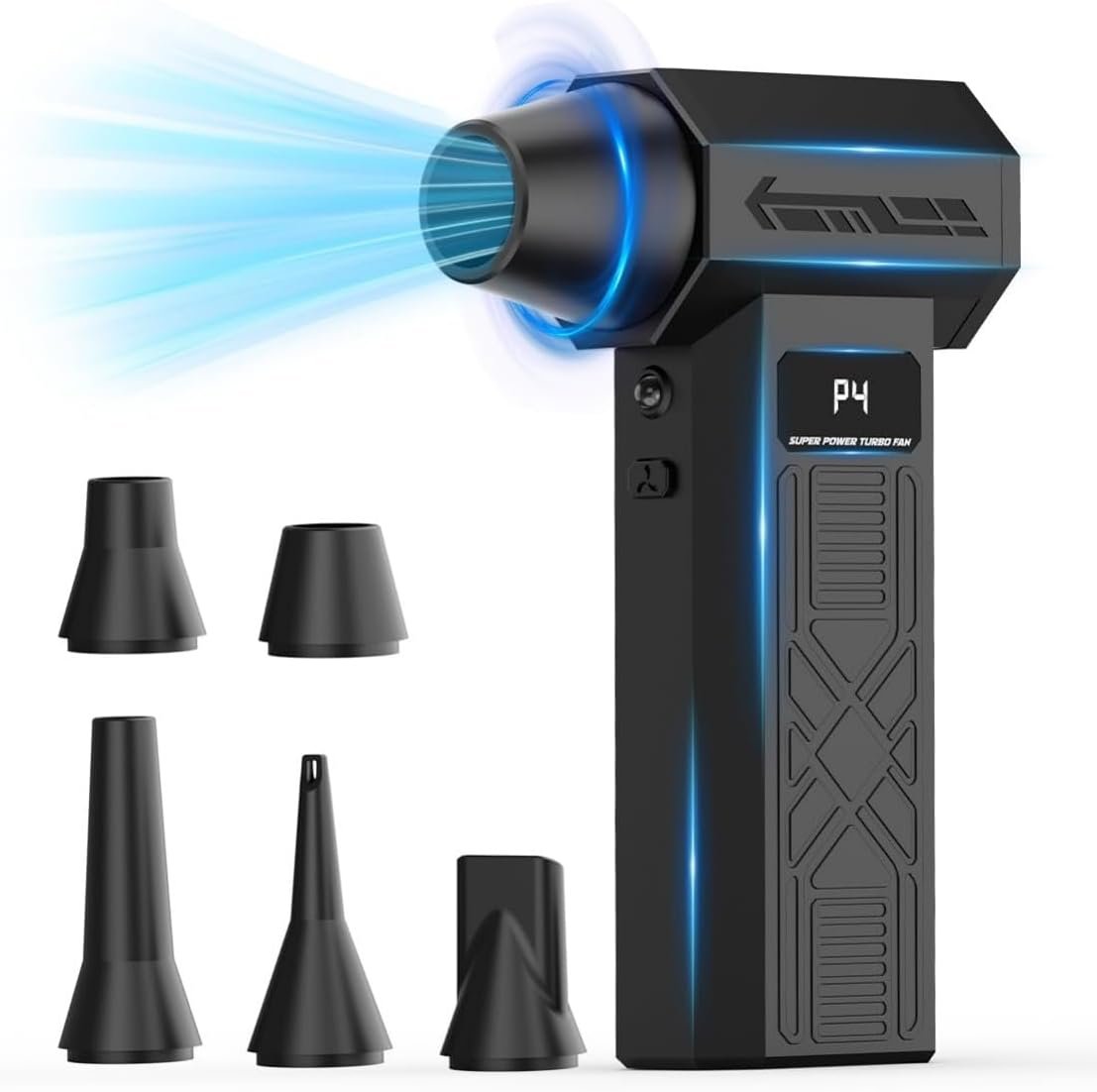
    The Compressed Air Duster with a stated 280,000 RPM handheld blower and 4 gear settings is designed around this concept. Its compact form factor and variable-speed approach are intended to give users more control over airflow during different cleaning tasks.

    Electric air dusters have become an alternative to disposable compressed-air cans for many everyday cleaning situations. They can be stored and reused, which may be convenient for people who frequently clean electronic equipment, workstations, vehicles, hobbies, or household areas.

    However, using concentrated airflow also requires some care. Air pressure can move dust from one location to another rather than actually removing it from an environment. Loose particles can also be pushed deeper into equipment if the tool is used incorrectly. Some components may be sensitive to static electricity, moisture, or high-speed airflow.

    For these reasons, the usefulness of a handheld air duster depends not simply on how high its advertised motor speed is, but on how the airflow is controlled and where it is used.

    This guide explores the product category from a practical perspective. It covers the stated 280,000 RPM specification, four-speed concept, common cleaning applications, appropriate users, safety considerations, comparisons with other cleaning methods, and practical ways to incorporate a rechargeable or electric air blower into a regular maintenance routine.

    What Is a Handheld Electric Air Duster?

    A handheld electric air duster is a small powered device designed to generate a stream of air for cleaning and debris removal.

    Traditional compressed-air cans store pressurized gas and release it through a nozzle. An electric air duster instead uses an electric motor and fan or turbine system to generate airflow.

    The basic principle is similar: moving air dislodges loose particles.

    The difference is that an electric model is intended to be used repeatedly rather than discarded after the pressurized contents of a can are depleted.

    A handheld design also allows the user to move the nozzle around the object being cleaned.

    This can be particularly useful for narrow spaces where a cloth cannot reach easily.

    Understanding the 280,000 RPM Specification

    The product is marketed with a stated 280,000 RPM motor speed.

    RPM means revolutions per minute. In simple terms, it describes how quickly the motor or rotating component is operating under the specified conditions.

    A very high RPM figure can indicate that the device is designed around a high-speed compact motor, but RPM alone does not tell the complete story about cleaning performance.

    Actual airflow depends on several factors, including:

    • Motor design
    • Fan or turbine geometry
    • Nozzle design
    • Air channel construction
    • Electrical power
    • Battery condition
    • Air resistance
    • Distance from the surface

    This is why two air blowers with similar RPM ratings can produce different practical results.

    For everyday use, the more relevant question is whether the device provides controllable airflow that is appropriate for the surface being cleaned.

    Key Features

    Four Gear Settings

    The four-gear design provides multiple airflow levels.

    Variable-speed control can be useful because different cleaning tasks require different amounts of airflow.

    A delicate surface may only need a gentle stream, while loose debris in a larger open area may respond better to stronger airflow.

    Starting at a lower setting gives the user an opportunity to observe how the material reacts before increasing the airflow.

    This can also reduce the chance of accidentally moving lightweight objects across a desk or workspace.

    Handheld Form Factor

    The handheld format makes the air duster relatively easy to move around a work area.

    Instead of positioning a large compressor or vacuum hose, the user can direct the nozzle toward a specific location.

    This can be useful for:

    • Computer keyboards
    • Desk surfaces
    • Small electronics
    • Camera equipment
    • Car interiors
    • Vents
    • Hobby equipment
    • Workshop surfaces
    • Household corners

    The compact form is especially relevant when cleaning tasks are frequent but relatively small.

    Electric Air-Blower Design

    An electric blower provides an alternative to disposable compressed-air cans.

    The exact operating system and power source should be checked against the manufacturer’s current specifications, but the general advantage of an electric duster is repeat use.

    For people who clean equipment regularly, this can make an electric blower a convenient addition to a maintenance toolkit.

    Focused Airflow

    A nozzle can concentrate airflow into a smaller area.

    This allows users to direct the air toward gaps and crevices rather than simply blowing across a large surface.

    A focused stream can be particularly useful around keyboards, ventilation openings, and other areas where loose debris becomes trapped.

    The narrower the airflow, however, the more important it becomes to use an appropriate distance and speed.

    Portable Cleaning Approach

    A handheld air duster does not require the user to bring a full-size vacuum cleaner into every cleaning situation.

    It can remain in a desk drawer, workshop, garage, or equipment storage area.

    This makes it practical for quick maintenance sessions.

    How It Can Be Used

    Cleaning Computer Keyboards

    Keyboards naturally collect dust, crumbs, hair, and other small particles.

    A handheld air duster can be used to dislodge loose debris from between the keys.

    Before cleaning, the computer or keyboard should be powered down and disconnected when appropriate.

    The device should be held at a sensible distance and used with controlled airflow.

    The goal is to move debris out of the keyboard rather than force it farther into the housing.

    For larger debris, tilting the keyboard can help particles fall away rather than remaining inside.

    Cleaning Desktop Computers

    Desktop computer cases can accumulate dust over time, particularly around ventilation areas.

    Airflow can help remove loose dust from accessible surfaces.

    However, internal computer cleaning requires more care than simply blowing air through an assembled machine.

    Users should follow appropriate computer-maintenance practices and avoid allowing fans to spin freely at very high speeds from uncontrolled airflow.

    It is also important to avoid touching sensitive internal components unnecessarily.

    Laptop Cleaning

    Laptop keyboards and ventilation openings can accumulate dust.

    A handheld blower may help remove loose surface particles, but laptops contain compact internal components and should be handled carefully.

    Users should follow the computer manufacturer’s cleaning recommendations.

    If internal cleaning requires opening the device, the user should understand the risks involved and follow appropriate service procedures.

    Camera Equipment

    Camera bodies, lenses, and accessories can collect dust.

    A controlled air blower can be useful for removing loose particles before wiping surfaces.

    This is particularly relevant because wiping a dusty lens directly can potentially drag particles across the surface.

    However, camera lenses and sensors require specialized cleaning practices.

    A powerful air stream should not be directed aggressively at delicate optical components or camera sensors.

    Always follow the equipment manufacturer’s recommendations.

    Cleaning Gaming Equipment

    Gaming keyboards, desktop cases, controllers, and other peripherals can accumulate dust.

    An air duster can provide a quick way to remove loose particles from gaps and vents.

    Controllers contain buttons and openings where debris can collect, but they should still be powered down before cleaning.

    Car Interior Cleaning

    An electric air blower can be useful for dislodging debris from vehicle interiors.

    Potential applications include:

    • Dashboard gaps
    • Seat rails
    • Air vents
    • Console seams
    • Cup-holder areas
    • Door pockets
    • Hard-to-reach corners

    The blower can move dust and crumbs into a more accessible area where they can then be collected with a vacuum or cloth.

    This is an important distinction: blowing debris does not necessarily remove it from the vehicle. It may simply relocate it.

    Cleaning Workshop Equipment

    Workshops often contain small areas where sawdust, dust, shavings, or other loose particles accumulate.

    A handheld blower can help clear certain surfaces.

    However, the suitability depends heavily on the material being handled.

    Fine dust may become airborne when blown, creating respiratory and visibility concerns.

    Users should avoid blowing hazardous dust or unknown particles around themselves or other people.

    Hobby and Craft Equipment

    Model-making tools, workbenches, keyboards, 3D-printing areas, and hobby equipment can collect small particles.

    A compact air duster can be useful for removing loose debris from work surfaces.

    When dealing with fine powders, paints, chemicals, or potentially hazardous substances, users should choose an appropriate containment or vacuuming method instead of simply dispersing particles into the air.

    Household Cleaning

    A handheld blower can be used for certain household tasks involving loose dry debris.

    For example, it may help clear dust from narrow gaps, vents, shelving, or hard-to-reach areas.

    It should not be treated as a replacement for a vacuum cleaner or cloth.

    Air is most useful when the goal is to move loose debris into a location where it can be collected.

    Who It May Be Suitable For

    Computer Users

    People who regularly maintain desktop computers, keyboards, and peripherals may find a handheld air duster useful as part of their cleaning routine.

    It can be particularly convenient for users who perform maintenance frequently.

    Gamers

    Gaming setups often include multiple dust-collecting devices, including computers, keyboards, controllers, monitors, and desk accessories.

    A compact air duster can help maintain these areas between deeper cleaning sessions.

    Photographers

    Photographers frequently deal with dust around equipment.

    An air blower can be one component of an equipment-cleaning routine, although delicate optics and camera sensors require specialized handling.

    Car Owners

    A portable blower can help move crumbs and dust from hard-to-reach parts of a vehicle interior.

    It can work alongside a car vacuum rather than replacing it.

    DIY and Workshop Users

    People who work on small projects may use a blower to clear loose debris from work areas.

    The suitability depends on the type of material involved and whether blowing it into the surrounding environment is safe.

    Hobbyists

    Model builders, electronics hobbyists, makers, and other enthusiasts often work with small equipment that can accumulate dust.

    A compact air duster can provide a convenient maintenance option.

    Home Users

    Households may also find a handheld blower useful for occasional cleaning of vents, narrow gaps, electronics, and other areas where ordinary dusting is inconvenient.

    Important Things to Consider

    High Airflow Requires Control

    The presence of four speed settings is useful because maximum airflow is not appropriate for every task.

    Users should begin with the lowest practical setting.

    If the airflow is insufficient, the setting can be increased gradually.

    This approach provides better control and reduces the risk of unintentionally moving lightweight objects.

    Air Blowing Is Not the Same as Vacuuming

    This is perhaps the most important practical distinction.

    A blower moves material.

    A vacuum collects material.

    If dust is blown from a keyboard onto a desk, the keyboard is cleaner but the dust is still present.

    For best results, users can often combine methods: use controlled airflow to loosen material and then use a vacuum or cloth to collect it.

    Dust Can Become Airborne

    Blowing dust can cause particles to become suspended in the air.

    This can be particularly problematic with fine dust, allergens, chemical residues, or potentially hazardous materials.

    Users should avoid directing airborne dust toward their face or other people.

    Appropriate ventilation and protective equipment may be necessary depending on the material.

    Avoid Hazardous Materials

    A handheld air blower should not be used casually to disperse:

    • Asbestos-containing dust
    • Chemical powders
    • Biological contaminants
    • Potentially toxic particles
    • Combustible dust
    • Unknown substances

    The correct handling method for hazardous material is generally containment and appropriate specialized cleanup rather than simply blowing it into the air.

    Electronics Require Care

    Electronic devices can be sensitive to physical force, static electricity, and contamination.

    Before cleaning electronics, users should turn them off and follow the manufacturer’s recommended maintenance procedures.

    Avoid allowing fans to spin excessively from direct high-speed airflow.

    Camera Sensors Require Special Care

    Camera sensors are particularly sensitive components.

    A general-purpose high-powered air duster should not automatically be assumed to be appropriate for direct sensor cleaning.

    Camera manufacturers often provide specific sensor-cleaning procedures and recommend dedicated tools.

    Protect Your Eyes

    Airflow can move small particles unexpectedly.

    Protective eyewear may be appropriate when cleaning dusty equipment, particularly in workshops.

    Users should never intentionally direct the air stream toward their eyes or another person’s face.

    Noise

    High-speed electric motors can produce noticeable noise.

    Users may want to consider hearing protection when using a powerful blower for extended periods or in enclosed environments.

    Battery and Charging Considerations

    If the device uses a rechargeable battery, users should follow the manufacturer’s charging and storage instructions.

    Battery-powered equipment should be charged using the appropriate charging equipment and stored according to the manufacturer’s guidance.

    Avoid using a damaged battery or charger.

    Compressed Air Duster vs. Disposable Air Cans

    Disposable compressed-air cans have traditionally been used for electronics and office equipment.

    They are convenient because they do not require charging.

    An electric air duster provides a reusable alternative that can be used repeatedly.

    However, electric models require battery or electrical power and may be physically larger than a small can.

    The two categories can therefore serve different preferences.

    Reusability

    An electric duster can be used repeatedly rather than relying on a consumable can.

    Control

    A four-speed system provides multiple airflow levels.

    Convenience

    An electric model can be ready whenever it has sufficient power.

    Portability

    Both categories can be portable, but their size, weight, and operating requirements differ.

    Air Duster vs. Vacuum Cleaner

    A vacuum cleaner is designed to collect dust and debris.

    An air duster is designed primarily to move it.

    A vacuum is generally more appropriate when the goal is to remove debris from an area completely.

    A blower can be particularly useful when debris is trapped in narrow gaps that are difficult for a vacuum nozzle to reach.

    Using the two together can be practical.

    For example, airflow can loosen debris from a keyboard, while a vacuum collects the material from the surrounding desk.

    Air Duster vs. Manual Blower

    Manual air blowers, such as rubber bulb blowers, do not require batteries and can be useful for delicate applications.

    They typically produce much less airflow than an electric high-speed blower.

    This can make them appropriate for situations where gentle airflow is important.

    A four-speed electric duster provides greater flexibility when stronger airflow is required, but users must also exercise more caution.

    Air Duster vs. Cleaning Cloth

    A cloth physically captures or removes dust from surfaces.

    It works well on accessible flat areas.

    An air blower is more useful for gaps and crevices.

    The two methods can complement each other.

    A sensible cleaning sequence may involve removing loose debris with controlled airflow and then wiping remaining dust from accessible surfaces.

    Practical Cleaning Routine for Electronics

    A careful electronics-cleaning routine might look like this:

    1. Power Down

    Turn off the device and disconnect it from power when appropriate.

    2. Move to a Suitable Location

    If possible, clean dusty equipment in a well-ventilated area where loose dust will not settle onto other sensitive objects.

    3. Start at Low Power

    Use the lowest practical airflow setting.

    4. Maintain Reasonable Distance

    Avoid placing the nozzle directly against sensitive components.

    5. Use Short Bursts

    Controlled bursts can provide more precision than continuously blasting an area.

    6. Prevent Fan Overspin

    When cleaning equipment with fans, take appropriate steps to prevent them from spinning excessively under forced airflow.

    7. Collect Displaced Dust

    After blowing, use a vacuum or cloth to collect material that has been moved onto surrounding surfaces.

    Practical Cleaning Routine for a Car

    For vehicle interiors, the process can be slightly different.

    Begin by removing larger objects and trash.

    Use the blower to move crumbs and dust from narrow gaps into an accessible area.

    Pay attention to areas such as seat rails, vents, console seams, and storage compartments.

    Then use a vacuum to collect the displaced debris.

    This approach prevents the blower from simply moving dirt from one inaccessible location to another.

    Maintaining the Air Duster

    The device itself should be kept clean.

    Inspect the nozzle and airflow openings for accumulated debris.

    Follow the manufacturer’s instructions for cleaning the housing and charging system.

    Do not expose the electrical components to liquids unless the product is specifically designed for that use.

    If the device develops unusual noise, overheating, damaged wiring, battery problems, or other abnormal behavior, discontinue use until the issue has been properly addressed.

    Frequently Asked Questions

    What is a 280,000 RPM air duster?

    It is a handheld electric blower marketed with a stated motor speed of up to 280,000 revolutions per minute. RPM describes rotational speed, but actual airflow performance also depends on the motor, fan, nozzle, power system, and other design factors.

    What does the four-gear setting mean?

    The four-gear system provides multiple airflow levels. This allows users to select a lower setting for more delicate tasks and increase airflow when stronger blowing is appropriate.

    What can a handheld air duster clean?

    It can help remove loose dust, crumbs, and lightweight debris from keyboards, computer equipment, workstations, car interiors, vents, hobby equipment, and other suitable surfaces.

    Can it replace a vacuum cleaner?

    No. An air duster moves debris rather than collecting it. A vacuum cleaner is generally better for actually removing dust and debris from an area.

    Can it be used to clean a computer?

    A handheld blower can help remove loose dust from suitable computer areas, but electronics should be powered down and handled carefully. Internal components and cooling fans require particular attention.

    Can an air duster damage electronics?

    Improper use can potentially cause problems. Excessive airflow, static electricity, moisture, physical contact, or forcing debris into sensitive areas can create risks. Users should follow the equipment manufacturer’s cleaning recommendations.

    Is a high RPM rating the same as high airflow?

    No. RPM describes rotational speed. Airflow depends on the overall blower design, including the motor, fan or turbine, nozzle, air channels, and power system.

    Can it be used on a camera?

    A blower can potentially be useful for removing loose dust from suitable external camera surfaces, but delicate optics and especially camera sensors require specialized cleaning procedures. Users should follow the camera manufacturer’s recommendations.

    Can it clean a keyboard?

    Yes, a handheld air duster can help dislodge loose particles from between keyboard keys. The keyboard should be powered down, and airflow should be controlled to avoid forcing debris deeper into the device.

    Can it be used inside a car?

    It can be useful for moving dust and crumbs from narrow areas of a vehicle interior. Using a vacuum afterward can help collect the debris that has been displaced.

    Should the highest speed always be used?

    No. Higher airflow is not automatically better. Starting with a lower setting and increasing it only when necessary gives the user more control.

    Can an air blower remove fine dust?

    It can move fine dust, but that does not mean it safely removes it from the environment. Fine particles can become airborne, so users should consider ventilation, respiratory protection, and appropriate containment depending on the material.

    Can it be used to clean hazardous dust?

    It should not be used casually for hazardous, toxic, biological, combustible, or unknown dust. Such materials require appropriate containment and cleaning procedures.

    Does an electric air duster require compressed-air cans?

    No. An electric blower generates airflow using its motor rather than relying on a disposable pressurized can.

    Is an electric air duster useful for workshop cleaning?

    It can be useful for certain clean, non-hazardous debris and surfaces. However, fine dust, chemical particles, and combustible materials should be handled using appropriate collection and safety methods rather than simply being blown into the air.

    Conclusion

    The Compressed Air Duster with a stated 280,000 RPM handheld blower and four gear settings is designed to provide concentrated airflow for everyday dust and debris removal.

    Its handheld format makes it suitable for a variety of small cleaning tasks, including keyboards, computer equipment, hobby tools, vehicle interiors, vents, workstations, and other areas where loose particles accumulate.

    The four-speed design is particularly relevant because different surfaces require different levels of airflow. Starting gently and increasing the power when necessary can provide greater control than relying on maximum output for every task.

    At the same time, the advertised 280,000 RPM figure should be understood in context. Motor speed is only one part of an air duster’s performance. Actual airflow depends on the complete blower design, nozzle, power source, and operating conditions.

    An air duster also works differently from a vacuum cleaner. It moves dust rather than collecting it. For many cleaning jobs, the most effective approach is to use controlled airflow to loosen debris and then collect the displaced material with a vacuum or cloth.

    Care is especially important around electronics, camera equipment, fans, fine dust, and sensitive surfaces. Users should follow the manufacturer’s instructions for their equipment, avoid directing airflow toward people, and never use high-speed air to disperse hazardous or unknown materials.

    For computer users, hobbyists, photographers, car owners, DIY enthusiasts, and households looking for a reusable alternative to disposable air cans, a handheld electric blower can be a practical addition to a general cleaning toolkit. Its value comes from having controlled airflow available for the places where conventional wiping or vacuuming is difficult.

    Used thoughtfully, it can make routine maintenance more convenient while complementing, rather than replacing, other cleaning methods.

    You can check more details on Amazon here.